


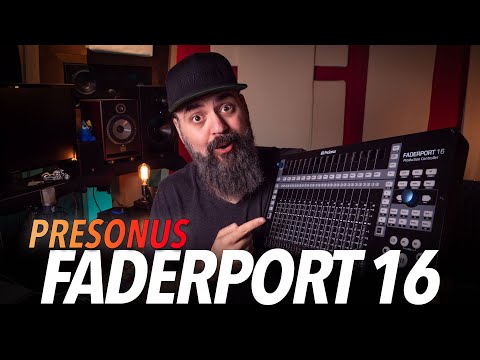
Presonus Faderport 16




Inclusief 3 maanden full access tot ArtMaster.com – uw online muziekplatform voor muziekproductie, songwriting en virale muziekcreatie in TikTok-stijl.
Bij aankoop van dit studio product ontvang je een gratis 3 maanden voucher ter waarde van 59 euro, geldig van 15.07. tot 14.10.2026, waarmee je volledige toegang krijgt tot premium online cursussen over moderne productietechnieken, beat-making, vocale bewerking, creatieve workflows en content-ready geluidsontwerp.
ArtMaster.com – uw e-learning partner, ontwikkeld in samenwerking met professionals uit de branche, zoals Sam Pounds (Chris Brown, Dr. Dre), Printz Board (Black Eyed Peas, Justin Timberlake) en Chris Kasych (Adele, Beck, Pharrell Williams). Leer van meer dan 500 videolessen die zijn ontwikkeld voor producers, creators en songwriters, met onderwerpen als DAW-productie, de basisprincipes van mixen, arrangementen, hooks voor TikTok en belangrijke vaardigheden om ideeën om te zetten in tracks die klaar zijn voor release.
Dit leeraanbod is beschikbaar in het Engels.
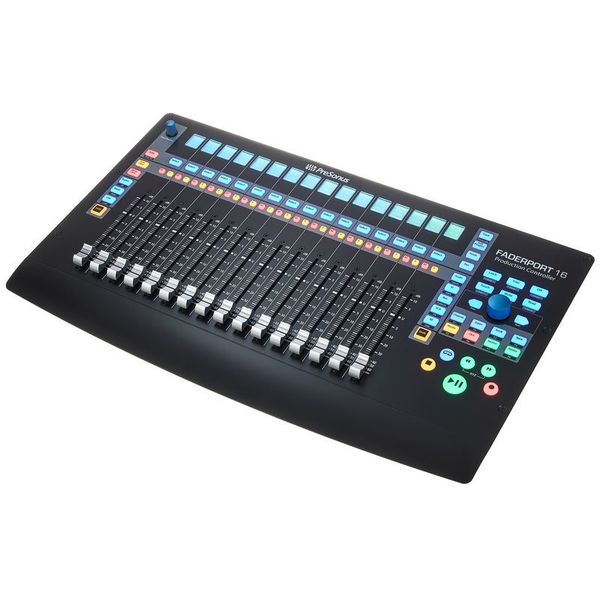
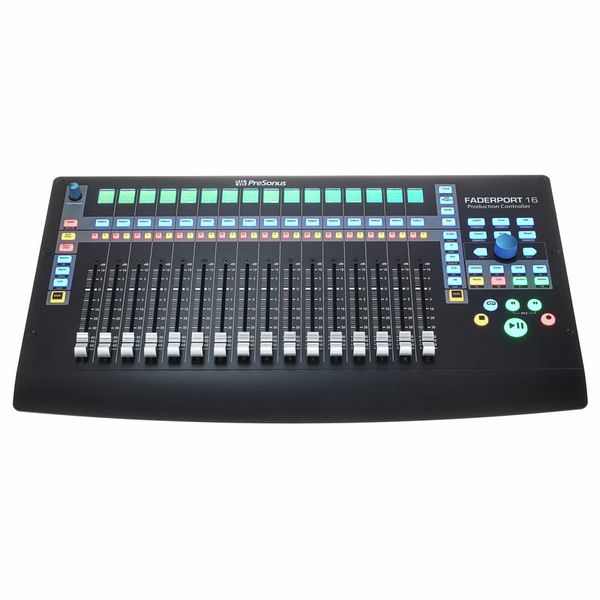
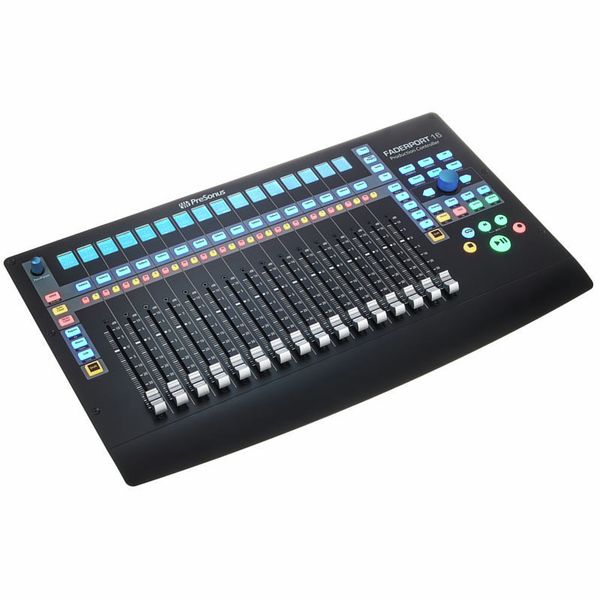
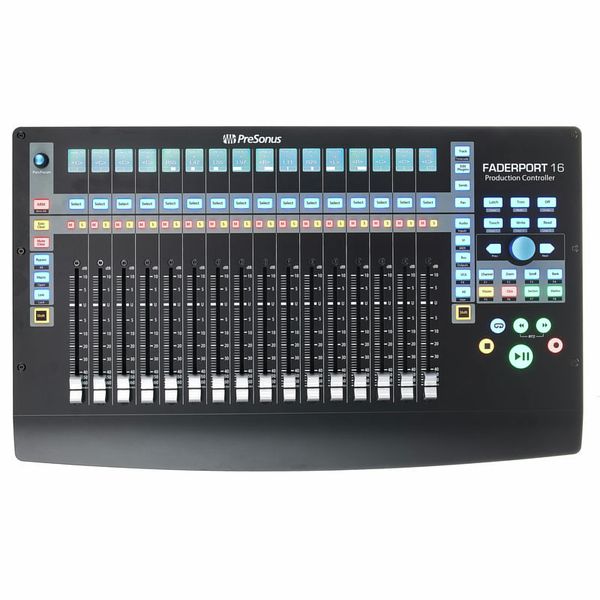
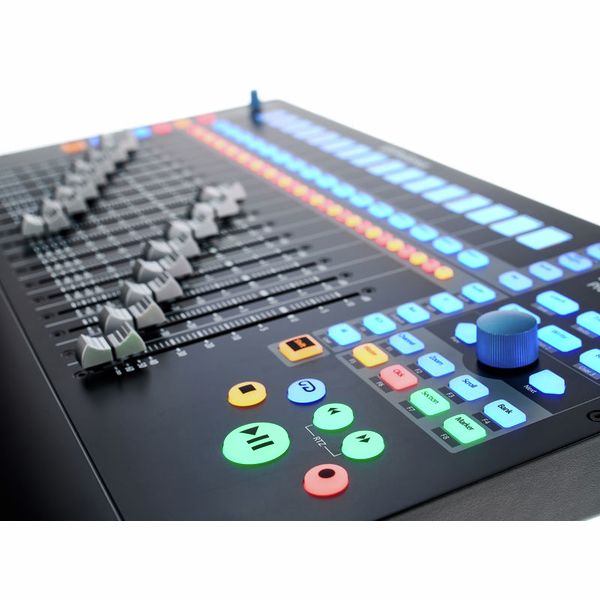
16-Kanaals DAW Production Controller
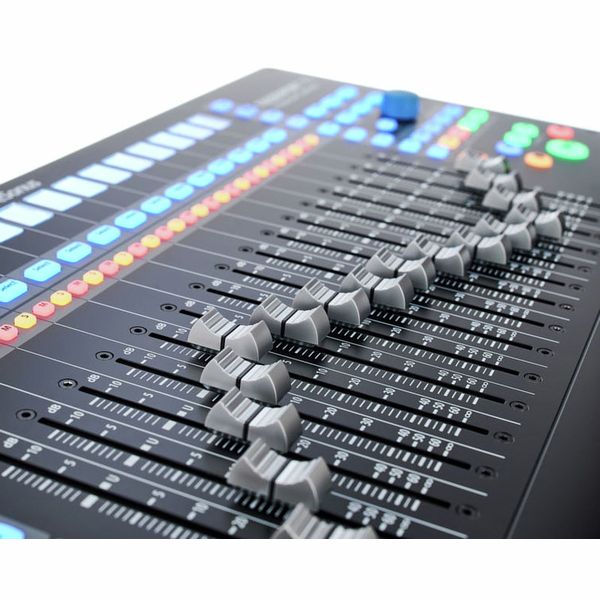
- 16 Professionele, aanraakgevoelige, gemotoriseerde 100 mm faders (dual-servo drive belt)
- Hoge fader-resolutie: 10 bit/1,024 stappen
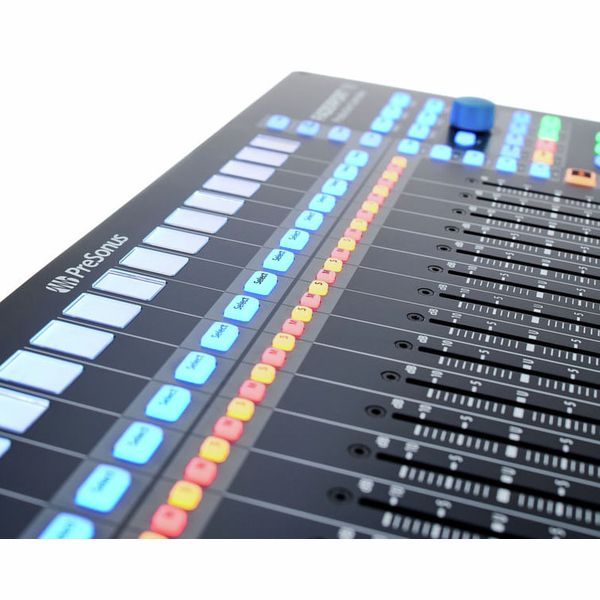
- 85 Knoppen met achtergrondverlichting en statusverlichting
- 104 Bedienbare functies
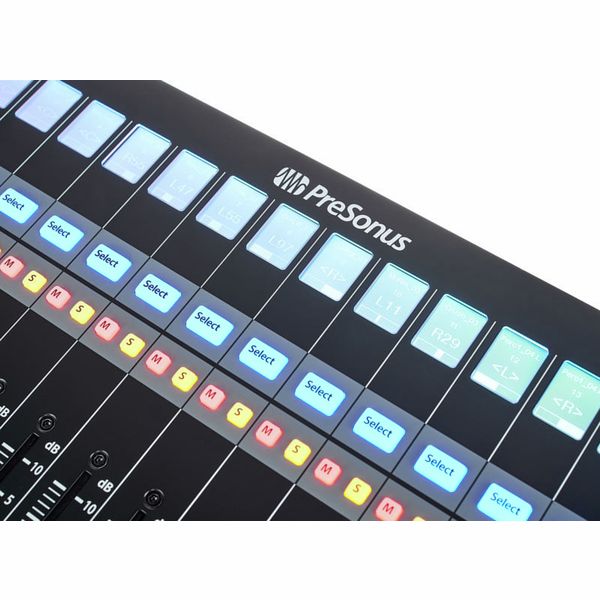
- 16 LC-displays met hoge resolutie als digitale etiketteringsvelden
- Timecode en level display
- Kleinere encoder dan panpot en andere geselecteerde parameters
- Groot datawiel met drukknop voor scrollen, zoomen, navigeren etc.
- 2 Pijltjestoetsen voor stapsgewijs navigeren en instellen
- Transportbediening, kanaalbediening, automatiseringsbediening
- Session Navigator, fader-modi, mixer view
- Undo/redo, click track on/off, tap tempo, set markers, plug-in parameters en nog veel meer
- 4 Programmeerbare user buttons
- 8 Functieknoppen
- Native support voor Studio One, HUI- en Mackie-control selecteerbaar
- Compatibel met ProTools, Logic, Cubase, Ableton, Nuendo, Bitwig, Reaper, Digital Performer en anderen
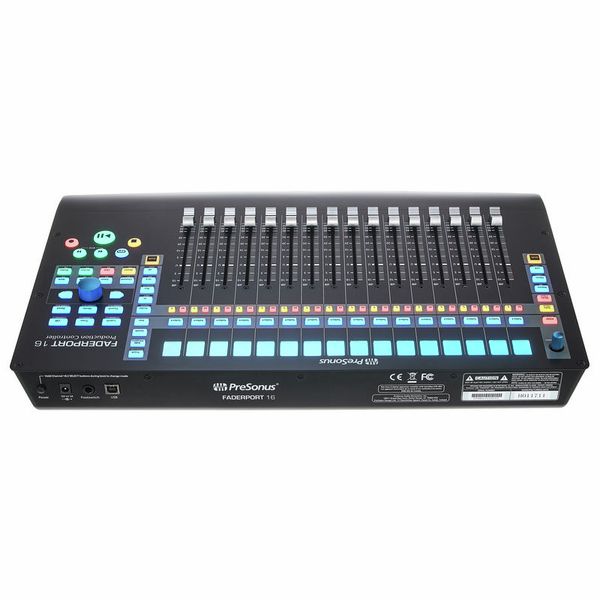
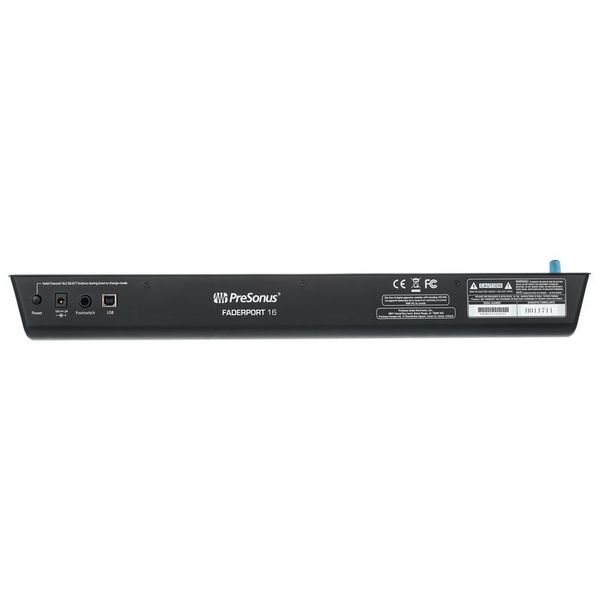
- Jack-aansluiting voor optionele voetschakelaar (start/stop-commando's)
- Vereist geen driver-installatie
- Stroomvoorziening: externe netvoeding (12 VDC/2 A)
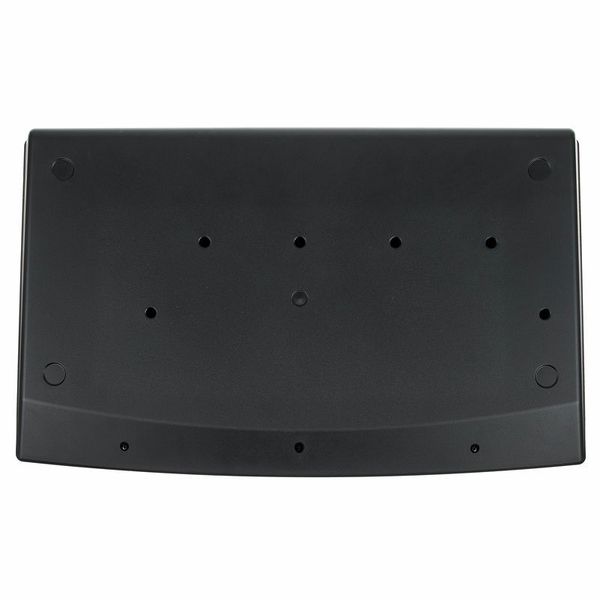
- Afmetingen (B x D x H): ca. 498 x 302 x 53,6 mm
- Gewicht: 3,63 kg
- Incl. volledige versie van Studio One 3 Artist (DAW)
- Bijpassende beschermhoes: art. 516108 (niet bij de levering inbegrepen)
Systeemvereisten:
- Mac: OS X 10.8.5 of nieuwer
- Intel Core 2 Duo (Intel Core i3 of sneller aanbevolen)
- Windows 7 x64/x86 SP1 + platform-update
- Windows 8.1 x64/x86
- Windows 10 x64/x86
- Intel Core 2 Duo (Intel Core i3 of sneller aanbevolen)
-
Leverbaar sinds Januari 2018
-
artikelnummer 424629
-
verkoopseenheid 1 stuk
-
USB Yes
-
Bluetooth No
-
5-pole DIN MIDI No
-
Ethernet No
-
Fader 16
-
Rotary Encoders 2
-
Audio I/O No
-
Transport Function Yes
-
Footswitch connection Yes
-
Foot Controller Connection No
-
Bus-Powered No
-
Jog Yes
-
Joystick No
-
Additional Features LCD Display per Channel

A hands-on approach to mixing
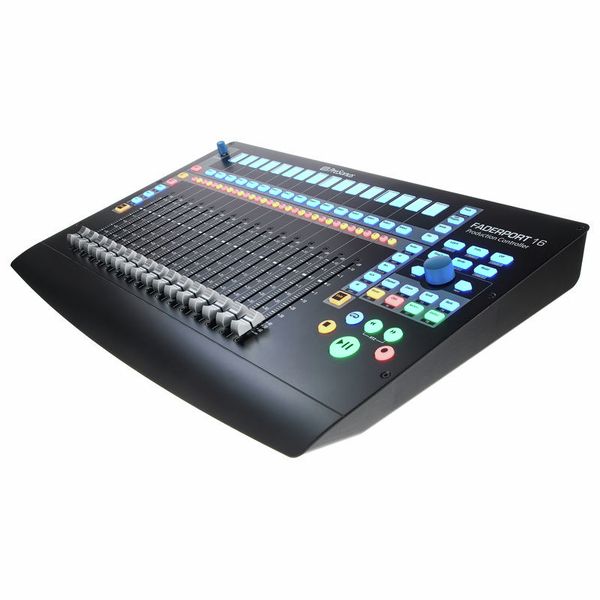
For those who prefer a tactile, hands-on approach to mixing rather than relying solely on a mouse and keyboard, the PreSonus FaderPort 16 offers intuitive and precise DAW control. Featuring sixteen touch-sensitive, motorised faders, this expanded version of the FaderPort 8 delivers a smooth, responsive mixing experience for music producers and engineers handling larger sessions. The 89 RGB-lit buttons provide instant access to key functions, while a high-resolution rotary encoder facilitates track navigation, zooming, and precise parameter adjustments. While the deepest integration is with Studio One, where the faders operate at full 1024-step resolution, the FaderPort 16 is also fully compatible with other DAWs via Mackie Control and HUI protocols, adapting to diverse production workflows.
)
Precise real-time feedback
Each fader is paired with a high-resolution LCD screen, providing clear visual feedback on assigned parameters. The 100mm motorised faders automatically adjust to reflect the active DAW settings, ensuring precise, real-time control across larger mixes. Dedicated buttons allow users to arm, mute, solo, and pan tracks, while four assignable function keys offer custom workflow enhancements. The large clickable encoder enables smooth scrolling, selection, and zooming, ensuring an intuitive navigation experience across multiple tracks and effect parameters. The Session Navigator gives producers direct access to essential DAW controls, optimising their workflows and minimising the need for on-screen interaction.
)
Efficient mixing and automation
The FaderPort 16 is designed to accelerate the workflow of engineers managing complex projects with high track counts. The motorised faders allow for seamless automation recording, enabling smooth, accurate parameter adjustments in real time. Dedicated transport controls, including colour-coded Play, Stop, and Record buttons, further streamline workflow by reducing reliance on mouse-based commands. While Studio One users benefit from deep integration, offering precise automation curves and plug-in control, third-party DAW users will still experience a highly efficient and responsive mixing experience through MCU and HUI protocols.
)
About Presonus
Presonus is a US company founded in 1995 by Jim Odom and Brian Smith in Baton Rouge, Louisiana. The firm designs hardware and software at both professional and more affordable levels for musicians and producers. Presonus first made a splash in the mid-1990s with the DCP8, an eight-channel analogue compressor/limiter/gate with fader and mute automation that could be digitally controlled by MIDI. In the early 2000s followed a series of microphone amplifiers and the first audio interfaces for the then-emerging home studio scene. Today, the company's product range includes audio interfaces, microphone preamps, digital mixing consoles, and studio monitors as well as the established DAW software Studio One.
Plug-and-play, no drivers necessary
The Presonus Faderport 16 is plug-and-play, meaning it requires no additional drivers to operate – as soon as it's connected to a computer, it's ready to use. Studio One Artist is included, providing instant compatibility with the PreSonus DAW ecosystem. Thanks to Mackie Control and HUI support, the FaderPort 16 integrates with other DAWs such as Pro Tools, Cubase, Logic Pro, and Ableton Live, though functionality may vary depending on the software. While Studio One users benefit from full integration, third-party DAW users may experience some limitations in fader resolution and plug-in control. Nonetheless, with its compact footprint, professional-grade motorised faders, and intelligent workflow enhancements, the PreSonus FaderPort 16 is a versatile and powerful mixing controller for modern music production everywhere.
)
Dit is wat klanten die dit product bekeken hebben kochten

Accessoires & verwante producten


Vergelijk opties
-
Presonus DAW controller in een oogopslag
-
DAW controller in de prijscategorie van 750 € - 1250 € weergeven
-
naar productgroep DAW controller
-
naar productgroep controller
-
naar productgroep Studio- en recording-apparatuur
-
toon fabrikant details voor Presonus
-
Presonus Studio- en recording-apparatuur in een oogopslag